[Arrow brushes]


About GIMP
    Homepage
    FAQ
    supported image formats
    toolbox/feature set
    screenshots
    installation


Brushes
    Arrow brushes
    Cursor brushes
    Circle brushes
    Checkmark brushes


Plug-ins
    Arrow generator Plug-in


SVGpage
    SVGpage main
    SVGpage Readme
    SVGpage changelog
    SVGpage download
    Autotrace manual


Simple How-TOs
    Common Preferences
    making a line

Making Selections
      rectangles + ellipses
      hand-drawn
      fuzzy select
      select by color
      paths and trickiness
      selection options

Transparency
      when image is created
      for one color
      all but a selection
      layered opacity

Using Text
      basic text tool
      freetype plugin
      Xtns>Logos

    image rotation
    drop shadows
    controlling contrast     limit colors 1

Tips N Tricks
    more selections
    advanced color control
    colorizing techniques
    layers 1
    layers 2


Examples
    GIMP SplashScreen
    Blue Heron Moon
    WPClipart collection


  Fav Resources

    Coming


Arrow brushes


README_arrows.txt:

Arrow Brushes - 1.0
4/21/2006
Initial release (don't see any need for a "beta phase" :)
------------------------------------------------------------
About:
------------------------------------------------------------
Arrow brushes is my small payback 
for using the great GIMP program. 
I had a hard time (actually impossible) 
finding any arrow brushes for the GIMP. 
But .gbr files are easy to make, so I spent 
two days of my life making these arrows 
(and a few "cursors") as my modest contribution.
Use them for anything you'd like. 
If you redistribute them, 
please include this file.
I post these, and perhaps make updates, at gimphelp.org.
All the items will also be included (in png format) 
at wpclipart.com, the Public Domain clipart site.
Enjoy.
Paul Sherman
[email protected]
------------------------------------------------------------
------------------------------------------------------------
To install:
------------------------------------------------------------
Stick them in the GIMP brushes folder and either 
"refresh brushes" or restart the GIMP.
I put them in the system-wide folder, 
on my Slackware machine this folder is located at:
/usr/share/gimp/2.0/brushes
You should also have a local brushes folder at:
~/.gimp-2.x/brushes
On Windows this should be:
<GIMP_INSTALL_FOLDER>\share\gimp\2.0\brushes
------------------------------------------------------------


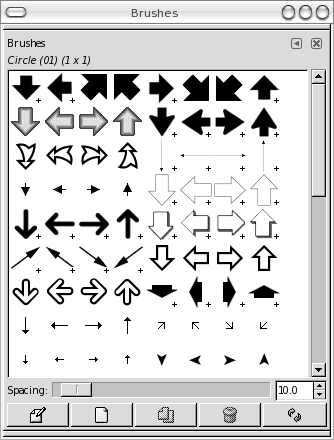
Here they are in the brushes toolbox


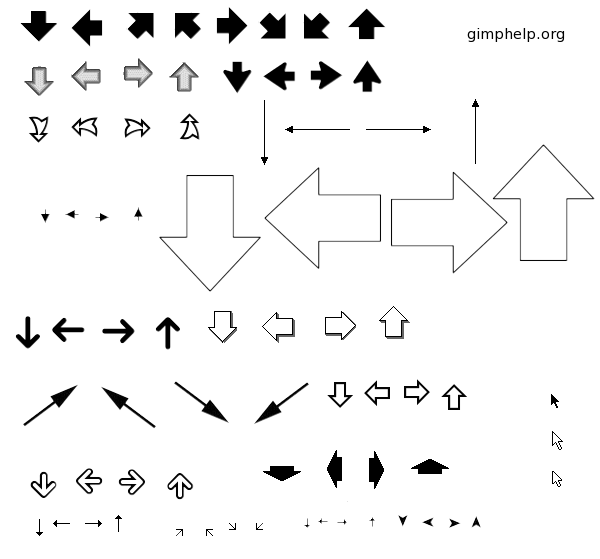
And here they are full size:


Download

format: zip file
size: 41k
md5sum: 0919c6c8e5289e3ce5daa071039df45f
download: arrow_brushes.zip
format: bz2 file
size: 17k
md5sum: 6ae45c8ff07ff5357737de33a0c858da
download: arrow_brushes.tar.bz2


Tutorials created by Paul Sherman for gimphelp.org