
This is a an adjustable script,
that sharpens the high-end/highlights in an image.
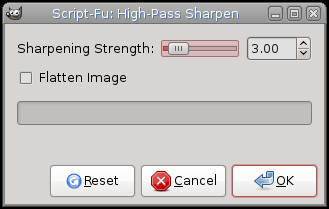
Script-FU > Sharpness > Sharpen > High-Pass Sharpen
Dialog
Original Image

Result:

Tweaking results...
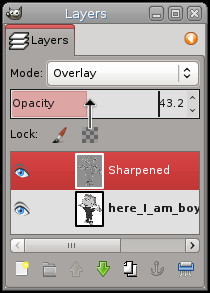
...and usually I tweak the results by opening the layers dialog and raising the opacity of the sharpened layer.
Original Image
Result:
Tweaking results...
...and usually I tweak the results by opening the layers dialog and raising the opacity of the sharpened layer.
; Installation:
; This script should be placed in the user or system-wide script folder.
;
;	Windows Vista/7/8)
;	C:\Program Files\GIMP 2\share\gimp\2.0\scripts
;	or
;	C:\Users\YOUR-NAME\.gimp-2.8\scripts
;
;	Windows XP
;	C:\Program Files\GIMP 2\share\gimp\2.0\scripts
;	or
;	C:\Documents and Settings\yourname\.gimp-2.8\scripts
;
;	Linux
;	/home/yourname/.gimp-2.8/scripts
;	or
;	Linux system-wide
;	/usr/share/gimp/2.0/scripts