
This is an adjustable script,
high pass filters have a long and varied history, this one is a re-work of script by Rob Antonishen. His blog post describing the original filter is here:
http://www.silent9.com/blog/archives/152-High-Pass-Filter-Plugin.html
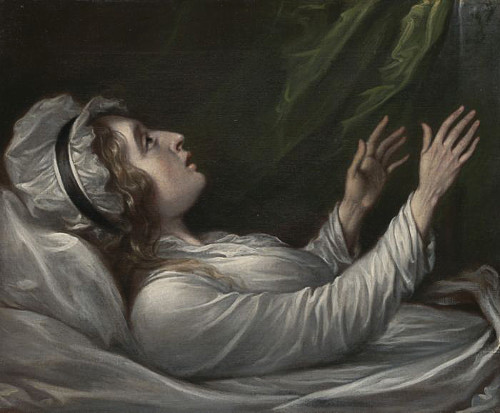
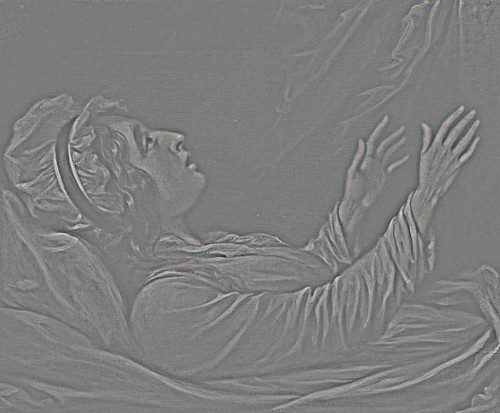
High Pass is often used as a sharpening tool, but it is a bit more at home in the quot;contrast" department. To ease its use as a sharpening tool, however, I include the "overlay" option in the settings dialog.
Here's a list of the different modes:
	Colour - I think this is the same as photoshop's high pass filter effect.
	Preserve DC - like colour, but adds the average image colour back in.
	Greyscale - this desaturates the layer before high pass filtering.
	Greyscale, Apply Chroma - as above, but blends it in with the source layer colours
	Redrobes - (named after the technique described by Redrobes)
; Installation:
; This script should be placed in the user or system-wide script folder.
;
;	Windows Vista/7/8)
;	C:\Program Files\GIMP 2\share\gimp\2.0\scripts
;	or
;	C:\Users\YOUR-NAME\.gimp-2.8\scripts
;
;	Windows XP
;	C:\Program Files\GIMP 2\share\gimp\2.0\scripts
;	or
;	C:\Documents and Settings\yourname\.gimp-2.8\scripts
;
;	Linux
;	/home/yourname/.gimp-2.8/scripts
;
;	Linux system-wide
;	/usr/share/gimp/2.0/scripts